June 24, 2026
Version 0.7.8 - Release Notes
CubeForge 0.7.8 adds chat to draft lobbies and draft sessions, making it easier for players to coordinate during online drafts.
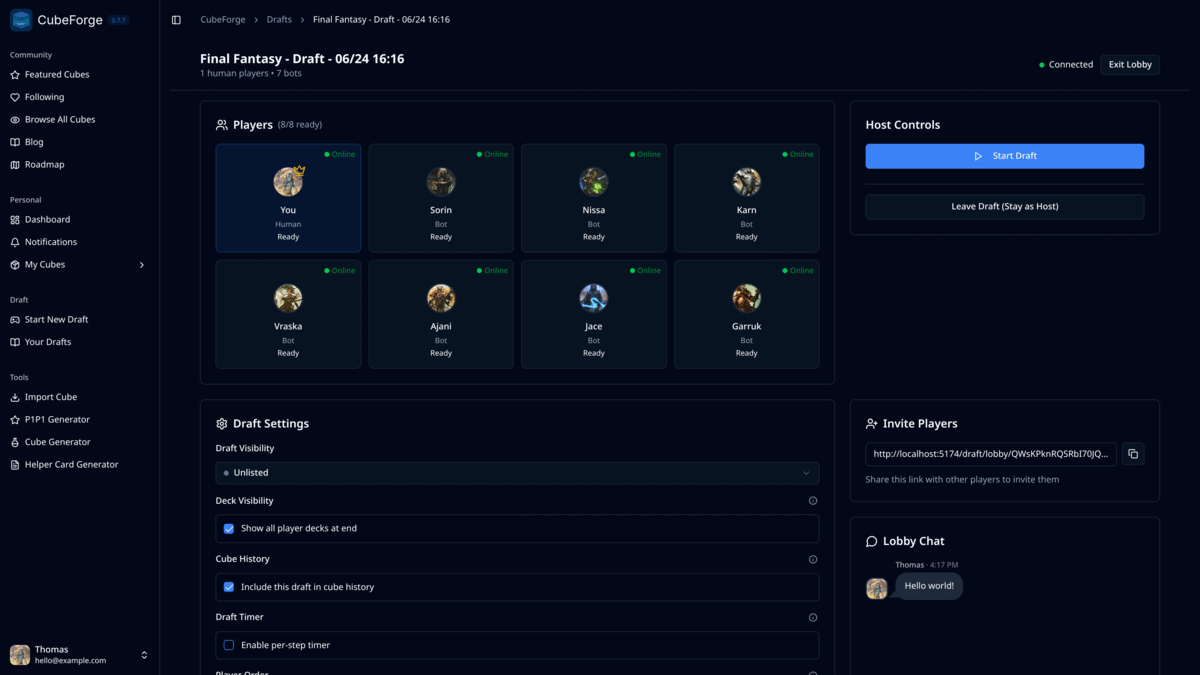
Version 0.7.8 adds chat to online drafts.
Online drafts already had shared spaces for setup, invites, player status, and draft settings. This update makes it easier to coordinate before the first pick and stay in touch while the draft is underway.
Draft chat
Draft lobbies now include a simple real-time chat panel, and the same chat is available during the draft session from a new Chat button next to the export and exit controls.
Players can use it to confirm who is joining, coordinate timing, talk through setup choices, or make sure everyone is ready before the host starts the draft.
Once the draft starts, the chat moves with the pod. You can open it in a side panel without leaving the draft table.
Only players already seated in the draft can send messages. People viewing the lobby or waiting to be approved can still see the lobby state, but they cannot post in the chat.
Unread message indicator
The in-draft Chat button now shows a small unread badge when another player posts while the chat panel is closed.
Opening the chat clears the badge, so it should be easy to notice new messages without having the panel open during every pick.
Cube editing quality of life
The cube editor controls now stay visible while scrolling through long lists, so search, import, selection, sorting, filters, display options, and saved views are easier to reach.
Opening the Considering section now scrolls to the revealed list automatically, making it quicker to jump between your main cube and cards you are still evaluating.
This is a small release, but it should make online drafts feel more like a shared table from setup through the final pick.
As always, if you notice anything off, please create a bug report here: Report a bug. You can also ask me directly in the CubeForge Discord.